

Managing Tasks in EstateCopilot
A quick-start guide to using Tasks in EstateCopilot. See how to view the tasks created after your initial Estate Assessment, change the status of tasks and create new tasks to help manage your work.
Each of the stages in EstateCopilot's workflow (First Steps, Discovery, Legal Process, Liquidation and Settlement) has it's own set of tasks. Use this task list to help you stay on track and see what you've already completed.
To view all tasks for the estate, use the All Tasks option from the Quick Access menu. The All Tasks page has filters to help you find tasks based on stage, priority and task completion status.
More Videos in This Category

Setting up your Estate in EstateCopilot
Covers the first steps after registering with EstateCopilot to set up your estate. We walk you through a simple 8-step assessment to determine your first set of tasks and whether EstateCopilot is suitable for your estate.

Managing Beneficiaries in EstateCopilot
A short guide to adding beneficiaries in EstateCopilot. Beneficiaries can be added with their name, relationship to the deceased and email address.
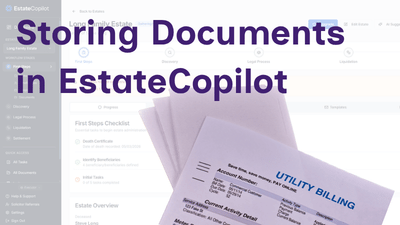
Storing Documents in EstateCopilot
Learn how to store the estate documents securely in EstateCopilot.
We use cookies
We use cookies to run the site and, with your consent, to measure it. We use cookies to enhance your experience, maintain your session, and remember your preferences. Some cookies are essential for the platform to function properly. Privacy PolicyLearn more in our Privacy Policy